
Transactions and Concurrency Control
Are you struggling with performance issues in your Spring, Jakarta EE, or Java EE application?
What if there were a tool that could automatically detect what caused performance issues in your JPA and Hibernate data access layer?
Wouldn’t it be awesome to have such a tool to watch your application and prevent performance issues during development, long before they affect production systems?
Well, Hypersistence Optimizer is that tool! And it works with Spring Boot, Spring Framework, Jakarta EE, Java EE, Quarkus, Micronaut, or Play Framework.
So, rather than fixing performance issues in your production system on a Saturday night, you are better off using Hypersistence Optimizer to help you prevent those issues so that you can spend your time on the things that you love!
I previously wrote about the benefits of connection pooling and why monitoring it is of crucial importance. This post will demonstrate how FlexyPool can assist you in finding the right size for your connection pools.
The first step is to know your connection pool settings. My current application uses XA transactions, therefore we use Bitronix transaction manager, which comes with its own connection pooling solution.
Accord to the Bitronix connection pool documentation we need to use the following settings:
FlexyPool comes with a default metrics implementation, built on top of Dropwizard Metrics and offering two reporting mechanisms:
An enterprise system must use an central monitoring tool, such as Ganglia or Graphite and instructing FlexyPool to use a different reporting mechanism is fairly easy. Our example will export reports to CSV files and this is how you can customize the default metrics settings.
We only have to give a large enough maxOverflow and retryAttempts and leave FlexyPool find the equilibrium pool size.
| Name | Value | Description |
|---|---|---|
| minPoolSize | 0 | The pool starts with an initial size of 0 |
| maxPoolSize | 1 | The pool starts with a maximum size of 1 |
| acquisitionTimeout | 1 | A connection request will wait for 1s before giving up with a timeout exception |
| maxOverflow | 9 | The pool can grow up to 10 connections (initial maxPoolSize + maxOverflow) |
| retryAttempts | 30 | If the final maxPoolSize of 10 is reached and there is no connection available, a request will retry 30 times before giving up. |
Our application is a batch processor and we are going to let it process a large amount of data so we can gather the following metrics:


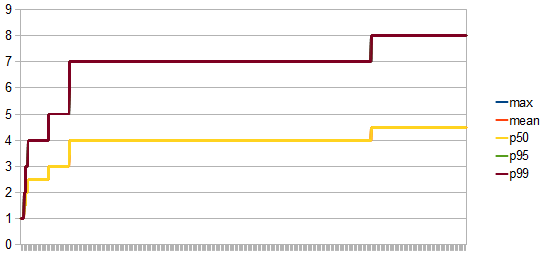
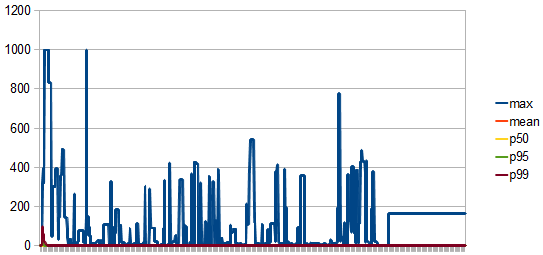
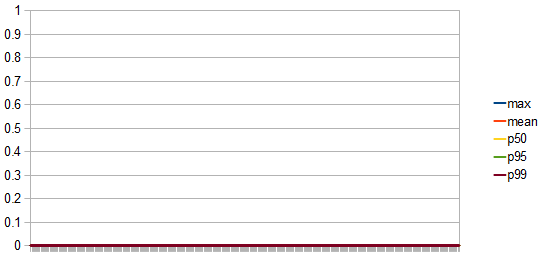
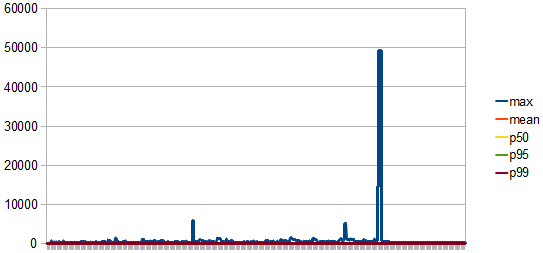
After analysing the metrics, we can draw the following conclusions:
If the database maximum connection count is 100 we can have at most 12 concurrent applications running.
Let’s assume that instead of 12 we would need to run 19 such services. This means the pool size must be at most 5. Lowering the pool size will increase the connection request contention and the probability of connection acquire retry attempts.
We will change the maxOverflow to 4 this time while keeping the other settings unchanged:
| Name | Value | Description |
|---|---|---|
| maxOverflow | 4 | The pool can grow up to 10 connections (initial maxPoolSize + maxOverflow) |
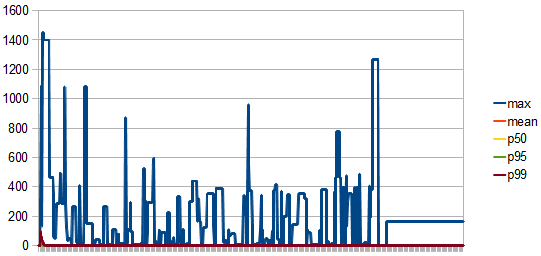
These are the new metrics:
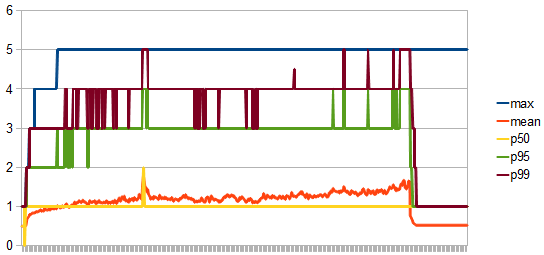


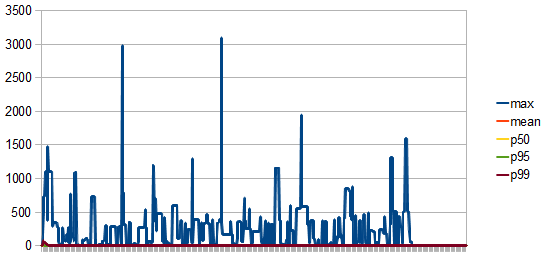
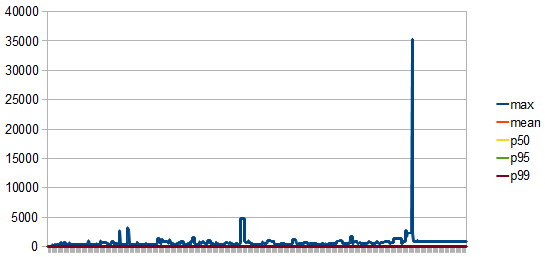
Analysing the metrics, we can conclude that:
If you enjoyed this article, I bet you are going to love my Book and Video Courses as well.



FlexyPool eases connection pool sizing while offering a failover mechanism for those unforeseen situations when the initial assumptions don’t hold up anymore.
Alerts may be triggered whenever the number of retries exceeds a certain threshold, allowing us to step in as soon as possible.







