A beginner’s guide to the Jenesis build tool
Introduction
In this article, I’m going to show you how we can build the Hypersistence Utils project with Jenesis, a new Java build tool created by Rafael Winterhalter, who’s a Java Champion, author of Byte Buddy and a major contributor to Mockito.
If you haven’t heard of it yet, check out this introductory article first.
What is Jenesis
Jenesis is a build tool whose engine is just plain Java code that you can embed into your project in the build/jenesis folder. I first heard of Jenesis at JavaZone 2026 during this talk that Rafael Winterhalter gave about it:
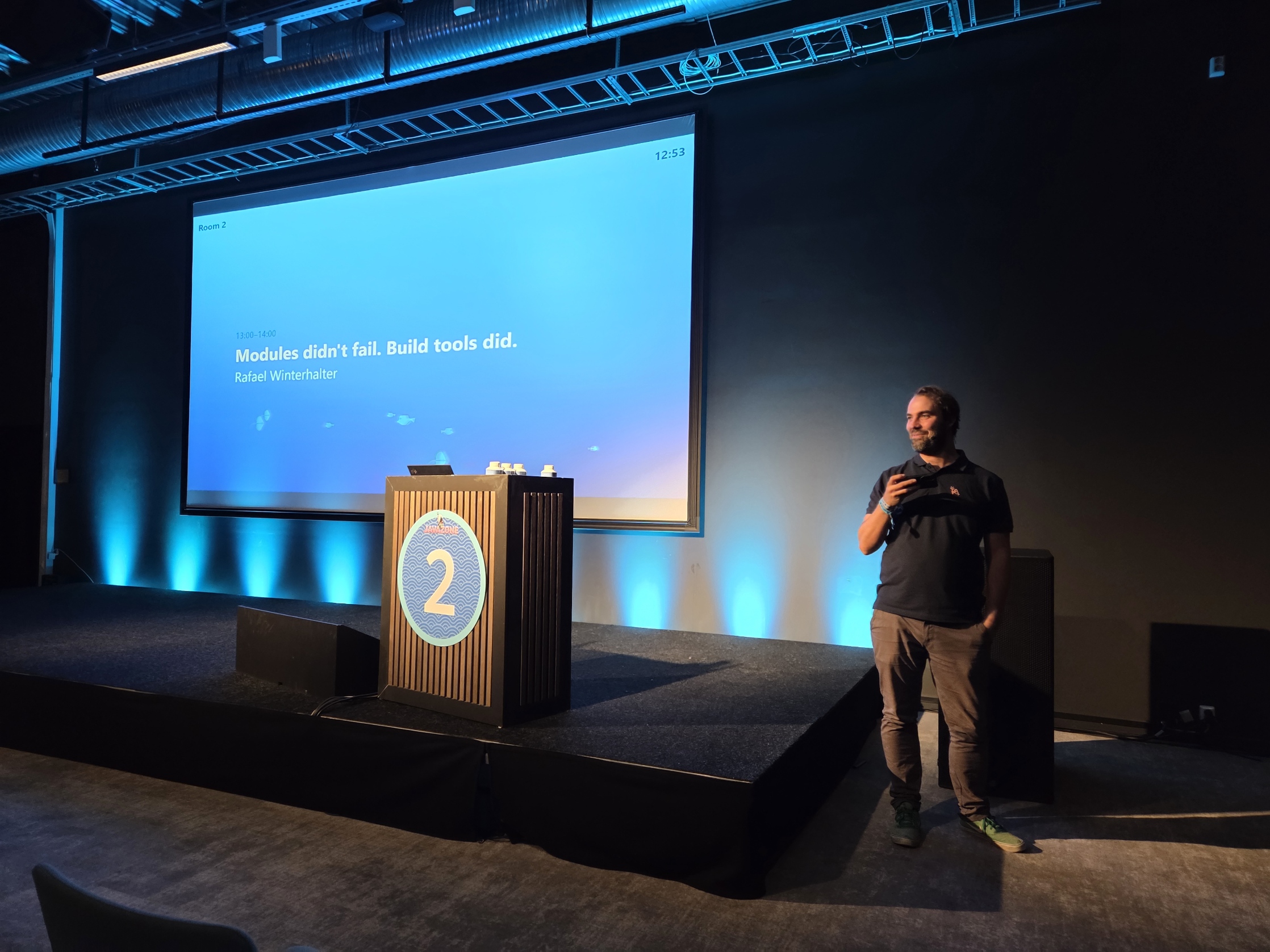
Since I promised Rafael that I’d give it a try, this article will show you exactly how I added support for Jenesis in my Hypersistence Utils project, which has three Hibernate modules, and almost 1,000 integration tests that can run on PostgreSQL, MySQL, Oracle, and SQL Server, either locally or using Testcontainers. So, it’s not a trivial project to test a build tool.
One of the first things that you’ll discover is that there’s no external command to run the build, because Jenesis runs on your local Java 25 or newer:
java build/jenesis/Make.java
For an existing project, Jenesis can read the pom.xml files, so I didn’t have to migrate from pom.xml to something else, as is the case with Gradle. In my case, this is very convenient as I can run both Maven and Jenesis side by side since both will build from the very same POMs.
Installing Jenesis
The official installation command pipes a remote script into bash:
curl -fsSL https://get.jenesis.build | JENESIS_VERSION=0.17.0 bash
The script downloads the build.jenesis-0.17.0-sources.jar from Maven Central, unzips it, and creates the build/jenesis folder, which contains 189 Java source files and a jenesis.version file that records the installed version.
The script doesn’t verify the jar against any checksum, so I downloaded the jar myself, checked it against the SHA-1 checksum published on Maven Central, and unzipped it into the build/jenesis folder, which gives the very same result.
Jenesis also comes with documentation for AI coding assistants, which you can print by passing a skill/ selector to Make.java, which is similar to how you’d use man with Linux:
java build/jenesis/Make.java skill/start
The skill/start page gives an overview of the build, skill/settings lists every jenesis.* setting with its default value, and skill/selectors explains what you can pass to Make.java. The pages are plain text, so they are just as useful when you read them yourself.
What Jenesis doesn’t read from the pom.xml
The Maven build of Hypersistence Utils uses a few plugins, but since Jenesis ignores the <build><plugins> section of the pom.xml, we will need to find alternatives to these plugins.
The project-wide settings go into the jenesis.properties file, which looks as follows:
# maven-jar-plugin test-jar execution: stage the -tests jar beside the main jar.

jenesis.stage.tests=true

# The tests of all three modules use the same local databases, and Jenesis runs
# one test JVM per module at once, so one module drops the tables another one is
# using. Run one tool at a time, as Maven runs one module at a time.

jenesis.process.concurrency=1
The jenesis.stage.tests setting replaces the test-jar goal of the maven-jar-plugin.
The jenesis.process.concurrency is needed for Hypersistence Utils since the vast majority of tests recreate the DB schema, and if we run them in parallel, the tests will fail. So, this setting runs one tool at a time, and the test JVMs of the three modules no longer overlap.
In our case, the Maven build filters the ${console.log.level} placeholder in the logback-test.xml file, and because Jenesis copies the unfiltered resources, we need to set the console.log.level property so that Logback can resolve it on its own. To do that, we need to pass it to the test JVM in the build.jenesis/process-test.properties file:
-Dconsole.log.level\=DEBUG=
Because each key is a JVM flag and the value is its argument, a system property is written as -Dkey\=value=.
The mvn -Ptest profile that sets the log level to ERROR becomes a Jenesis profile, defined by the build.jenesis/test/process-test.properties file and selected with -Djenesis.make.profiles=test.
The test JVM doesn’t inherit the environment of the build. It only gets PATH, HOME, LANG, and the platform’s own variables, like TEMP or USERPROFILE on Windows. So, if Docker isn’t at its default location, as with Colima, Podman, or a remote daemon, the Docker and Testcontainers variables must be passed explicitly in the build.jenesis/environment-test.properties file:
DOCKER_HOST
DOCKER_TLS_VERIFY
DOCKER_CERT_PATH
DOCKER_CONFIG
TESTCONTAINERS_HOST_OVERRIDE
TESTCONTAINERS_DOCKER_SOCKET_OVERRIDE
TESTCONTAINERS_RYUK_DISABLED
A variable listed by its name only, without =value, is copied from the shell that runs the build into the test JVM, but only if it’s set in that shell. A NAME=value line sets the variable to that fixed value instead.
Finally, the maven-jar-plugin adds the Automatic-Module-Name attribute to the jar manifest. Jenesis uses the META-INF/MANIFEST.MF file from the module resources as the base of the jar manifest, so each module got one:
Manifest-Version: 1.0
Automatic-Module-Name: io.hypersistence.utils.hibernate.type
Compiling and packaging
The first build compiles and packages all three modules without running the tests:
java -Djenesis.test.skip=true build/jenesis/Make.java
It took 31.6 seconds, and that includes downloading all the dependencies.
Next, I compared the jars that Jenesis produced with the ones Maven produced from the same commit. The entries are identical, including the META-INF/services and native-image resources, except for one extra file:
META-INF/sbom/io.hypersistence/hypersistence-utils-hibernate-73.cdx.json
Jenesis embeds a CycloneDX SBOM into every jar, and the manifest says so:
Manifest-Version: 1.0
Automatic-Module-Name: io.hypersistence.utils.hibernate.type
Sbom-Format: CycloneDX
Sbom-Location: META-INF/sbom/io.hypersistence/hypersistence-utils-hibernate-73.cdx.json
Created-By: Jenesis
Implementation-Title: hypersistence-utils-hibernate-73
Implementation-Version: 3.16.1-SNAPSHOT
The class files were not identical, though. The JsonType class file of the Hibernate 6.3 module was 3,377 bytes when built by Maven and only 2,820 bytes when built by Jenesis.
The class file versions were correct, 55 for the Java 11 module and 61 for the Java 17 ones, so I compared the compiler arguments. Running mvn -X compile shows that the maven-compiler-plugin passes the --release, -encoding, -deprecation, and -g flags to javac, while Jenesis doesn’t pass -g.
Without -g, javac writes only the line numbers and the source file names, so the classes lose their LocalVariableTable. Stack traces still have line numbers, but a debugger no longer shows you the local variable names.
The fix is a build.jenesis/process-javac.properties file:
-g=
After this change, the JsonType class file had the same size as the one built by Maven.
Running the tests
In a pom.xml build, Jenesis treats the tests of a module as a module of their own. So, to run the tests of a single module, you need to use the step path of its test module:
java -Djenesis.make.profiles=test -Djenesis.print.tests=true \
     build/jenesis/Make.java \
     build/maven/compose/module/build-testmodule-hypersistence-utils-hibernate-73
All three modules passed as follows:
| Module | Surefire | Jenesis |
|---|---|---|
| hypersistence-utils-hibernate-73 | 327 run, 6 skipped | OK (321 tests) |
| hypersistence-utils-hibernate-71 | 329 run, 6 skipped | OK (323 tests) |
| hypersistence-utils-hibernate-63 | 329 run, 5 skipped | OK (324 tests) |
At first sight, the numbers don’t match, but the JUnit 4 runner doesn’t count the @Ignore tests in its OK line, while Surefire counts them as skipped. So, both builds ran exactly the same tests.
Note that Jenesis runs on JDK 25, and it runs the tests on JDK 25 too, even if the modules are compiled for Java 11 and 17. Maven, on the other hand, runs the Hypersistence Utils tests on JDK 17. With Jenesis, you can’t run the tests on an older JDK, as its migration notes explain:
An older JDK has no counterpart: Jenesis runs on 25 or newer and refuses an older toolchain, so the tests run on the build’s JDK against the release the module compiles for.
Running all modules at once
Running the tests of each module separately worked fine. But when I tried to build the whole project, I got the following failures:
Tests run: 322,  Failures: 86
...
org.hibernate.exception.SQLGrammarException: JDBC exception executing SQL
[select ... from age_restriction r1_0 where r1_0.id=?]
[ERROR: relation "age_restriction" does not exist]
The hypersistence-utils-hibernate-71 module had 123 failures, and the hypersistence-utils-hibernate-73 module had 126.
The reason is that Jenesis starts the module testing in parallel. And, since all three modules use the very same local PostgreSQL, MySQL, Oracle, and SQL Server databases, one module was dropping the tables another module was still using.
Maven never had this issue because it builds one module after the other.
Therefore, the fix was to allow a single tool to run at a time:
jenesis.process.concurrency=1
This setting limits the number of tools that run at once, whether it’s the compiler or a test JVM. The compilation of this project takes just a few seconds, so running javac sequentially costs almost nothing.
If your test modules share a database, you are better off setting jenesis.process.concurrency before you run the full build for the first time.
On CI, this is not an issue because the GitHub Actions workflow runs each module in its own job, and Testcontainers starts dedicated database containers for each job.
Comparing the dependencies
The dependencies selector prints the dependency tree of every module.
First, a warning. The dependencies selector runs the build before printing the trees, and that includes the tests. So, you are better off running it with -Djenesis.test.skip=true:
java -Djenesis.test.skip=true build/jenesis/Make.java dependencies
Jenesis resolved the same number of dependencies that mvn dependency:list reports. However, when I compared the output, three versions differed:
| Dependency | Maven | Jenesis |
|---|---|---|
| net.bytebuddy:byte-buddy` (test classpath) | 1.17.8 (1.18.8 in the 73 module) | 1.17.7 |
| org.checkerframework:checker-qual | 3.37.0 | 3.5.0 |
| jakarta.activation:jakarta.activation-api | 2.1.0 (2.1.3 in the 73 module) | 2.1.2 |
This is due to the nearest-wins strategy used by Maven. For instance, byte-buddy is a transitive dependency of both hibernate-core (declared by the module) and mockito-core (inherited from the parent module), and both paths have the same depth, so Maven picks the first declaration.
In the effective POM, Maven lists the dependencies of the module before the ones inherited from the parent, so hibernate-core wins. Jenesis breaks the tie the other way, so mockito-core wins.
The other two dependencies are ties as well. For instance, in the 73 module, jakarta.activation-api comes both from jackson-module-jakarta-xmlbind-annotations and from jakarta.xml.bind-api, which are both declared by the module, and Maven picks the version of the first one, while Jenesis picks the version of the second one.
I tried the other jenesis.resolver.maven strategies, but closest breaks the tie the same way, and latest upgrades so many dependencies that the project no longer compiles.
Pinning the dependencies
The pin selector writes the version and the SHA-256 checksum of every resolved dependency into the <dependencyManagement> section of each POM:
java -Djenesis.test.skip=true build/jenesis/Make.java pin
The pinned entries look as follows:
<dependency>
    <groupId>org.hibernate.orm</groupId>
    <artifactId>hibernate-core</artifactId>
    <version>${hibernate.version}</version>
    <!--Checksum/SHA-256/5775a3a8c995468e1ab1c3d56f984881c922f8986e77de63d509dea9f04d6956 6.6.55.Final-->
</dependency>
As you can see, Jenesis keeps the existing version property and records the version it resolved in the checksum comment, so a version bump still works as before.
With all the dependencies pinned, the CI workflow can use the strict mode, which fails the build if any artifact is not pinned or doesn’t match its checksum:
java -Djenesis.dependency.pin=strict build/jenesis/Make.java
However, the pin command added 1,692 lines to the three POMs. And, since Maven honors the <dependencyManagement> section too, pinning changes the Maven build as well. When I compared what Maven resolves before and after pinning, two transitive dependencies had moved to the versions Jenesis picks:
jakarta.activation-api, from2.1.0to2.1.2(from2.1.3in the 73 module)checker-qual, from3.37.0to3.5.0, which is actually a downgrade
On top of that, the pins freeze every transitive version, so every dependency upgrade would require running pin again.
For a library, that’s too high a price for the checksum verification. So, I reverted the pinning and kept only the three dependencies that break the nearest-wins tie differently, at the versions that Maven resolves. For instance, the 73 module now declares:
<dependencyManagement>
    <dependencies>
        <dependency>
            <groupId>jakarta.activation</groupId>
            <artifactId>jakarta.activation-api</artifactId>
            <version>2.1.3</version>
        </dependency>
        <dependency>
            <groupId>net.bytebuddy</groupId>
            <artifactId>byte-buddy</artifactId>
            <version>1.18.8</version>
        </dependency>
    </dependencies>
</dependencyManagement>
Since all three modules use the same checker-qual version, its 3.37.0 entry goes into the parent POM.
A managed version overrides the nearest-wins rule in both tools, so Maven resolves exactly the same dependencies as before, and Jenesis now resolves the very same versions.
If you plan to use pin on a project that Maven keeps building, you are better off reviewing what Maven resolves before and after, as the pinned versions apply to both builds.
Reproducible builds and the SBOM
The stage selector produces the Maven repository layout of every module, with the jar, the tests jar, the POM, and a CycloneDX 1.6 SBOM.
The SBOM of the hypersistence-utils-hibernate-73 module lists the 78 libraries the main module depends on, each with its SHA-256 hash. Only 3 of them are required, meaning a consumer gets them transitively, while the other 75 are provided or optional, so they are marked as excluded.
To check that the build is reproducible, Jenesis can build everything a second time into another folder, without using any cache, and compare the output of every step:
java -Djenesis.project.reproduce=target-repro -Djenesis.test.skip=true \
     build/jenesis/Make.java stage
And the result was:
The build reproduced: 148 steps wrote the same output into target-repro as into target
- fingerprint SHA-256:b7bdc3a4d734e61b6741bfdbde76571934569f901be29578e15ea4504e52f2ae
This works out of the box because Jenesis records the same timestamp, 1980-02-01T00:00:00Z, on every jar entry. You can change it with the jenesis.archive.timestamp setting.
Build times
I measured all builds on the same Windows machine, with the local databases running and Docker Desktop started.
For a like-for-like comparison, I ran the cold Jenesis build into an empty target folder:
java -Djenesis.project.target=target-cold \
     -Djenesis.make.profiles=test build/jenesis/Make.java
| Build | Time |
|---|---|
mvn -Ptest clean test |
794 s and 751 s |
| Jenesis, cold | 741 s |
| Jenesis, rerun with no change | 1.37 s |
The two Maven runs differ by 6%, and the cold Jenesis build falls within that range. That’s not surprising, since running the integration tests takes almost all of the build time, and both tools run the very same tests on the very same databases.
The rerun is where Jenesis shines. Every step is keyed by its inputs, so a rerun with nothing changed skipped 141 steps, and no test was executed. Surefire has no such check, so running mvn test again runs all the tests again.
Running only the tests a change can reach
Jenesis provides the -Djenesis.test.incremental setting, which allows us to run only the tests that a change can reach.
So, if I change the body of the get method of the PostgreSQLHStoreType and run the tests of the 73 module with the incremental test selection:
java -Djenesis.test.incremental -Djenesis.make.profiles=test build/jenesis/Make.java \
     build/maven/compose/module/build-testmodule-hypersistence-utils-hibernate-73
The first run executed all 321 tests, since there was no previous selection to compare with. After the second change to the same class, Jenesis ran only 6 tests, and the whole build took 15.95 seconds, compared to 206 seconds for the full module.
However, when I looked at which tests ran, I found the six TypeContributor*Test classes, but not the PostgreSQLHStoreTypeTest, which is the one that tests the class I changed.
The reason is that Jenesis builds the reachability graph from the class file constant pool, the field types, and the method descriptors. The PostgreSQLHStoreTypeTest references the PostgreSQLHStoreType only through the @Type annotation:
@Type(PostgreSQLHStoreType.class)
@Column(columnDefinition = "hstore")
private Map<String, String> properties = new HashMap<>();
And an annotation stores its class value as a descriptor string, not as a class entry of the constant pool:
#33 = Utf8 Lio/hypersistence/utils/hibernate/type/basic/PostgreSQLHStoreType;
Since Hypersistence Utils uses the @Type annotation in more than half of its tests (88 of the 154 test files of the 73 module), the incremental test feature will have to be skipped until Jenesis adds support for following annotation values.
Running the build on GitHub Actions
The workflow runs each module in its own job, on Temurin 25:
- uses: actions/setup-java@v5
  with:
    distribution: temurin
    java-version: '25'

- name: Build and test hypersistence-utils-hibernate-${{ matrix.hibernate }}
  run: >
    java
    -Djenesis.make.profiles=test
    -Djenesis.print.tests=true
    -Djenesis.executor.aggregate=true
    build/jenesis/Make.java
    build/maven/compose/module/build-testmodule-hypersistence-utils-hibernate-${{ matrix.hibernate }}
Since the engine is vendored in the build/jenesis folder, the workflow doesn’t need to install anything else besides the JDK.
The first workflow run passed for all three modules, back when the strict pinning was still enabled. The build and test step took 3 minutes and 15 seconds for the hypersistence-utils-hibernate-71 module, 3 minutes and 12 seconds for the hypersistence-utils-hibernate-73 module, and 3 minutes and 16 seconds for the hypersistence-utils-hibernate-63 module.
Gotchas
Most of the issues I bumped into were not bugs, but things that work differently than in Maven.
First, Jenesis resolves dependencies into the ~/.m2/repository folder and ignores the <localRepository> setting from the Maven settings.xml file. Since my local Maven repository is on another drive, the first build downloaded all the dependencies again. You can point Jenesis to your local repository using the jenesis.maven.local setting or the MAVEN_REPOSITORY_LOCAL environment variable.
Second, Jenesis runs javac without -g, so if you care about local variable tables, you need the process-javac.properties file I showed you previously.
Third, I got an AccessDeniedException on Windows when three modules downloaded the same maven-metadata.xml file at the same time, and Jenesis tried to move it into the .jenesis/artifacts folder while another process held it open. This only happened when I tried the latest resolver strategy, which is the only one that fetches the Maven metadata.
Fourth, a rerun skips the tests whose inputs haven’t changed, which is great for a quick rebuild, but surprising if you expect the mvn clean test behavior. If you want to run the tests anyway, you can use the jenesis.test.force setting:
java -Djenesis.test.force=true -Djenesis.make.profiles=test build/jenesis/Make.java
Fifth, Jenesis builds all modules into a single target folder in the project root, so the jars are not in the target folder of each module, but in the Maven repository layout of the target/stage/maven/output folder.
Conclusion
Building Hypersistence Utils with Jenesis required a handful of small configuration files, while the existing pom.xml files only needed three managed versions to settle the dependency ties that Maven and Jenesis break differently.
The resulting jars contain the same entries as the Maven ones, the tests pass on JDK 25, the build is reproducible, and a rerun with no change finishes in about a second. If your test modules share a database, you are better off running one tool at a time, and if Maven keeps building the same POMs, you are better off reviewing what pin changes for Maven too.